
Toggle Profile Information Visibility#
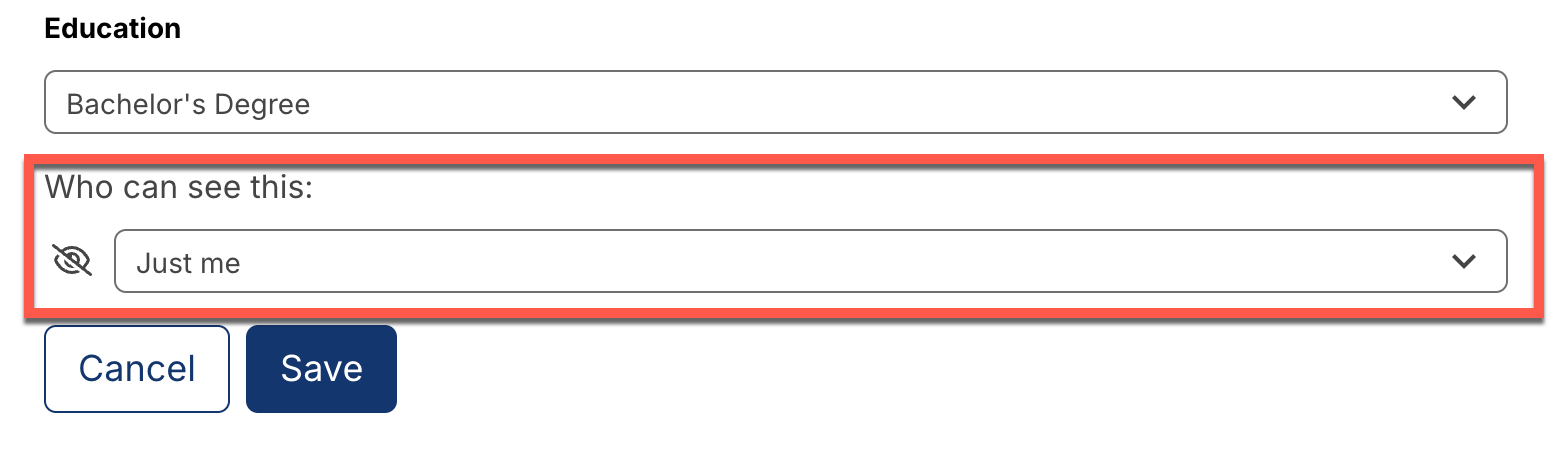
For any profile field, you can toggle the visibility of the profile information to other learners.
Options are:
Just Me: Only you can see this information.
Everyone on [Platform]: Anyone who is a registered learner on the platform can see this information.
To toggle the visibility of the profile information, follow these steps:
Within the dashboard page, choose a field to edit.
Modify the Who can see this field by selecting the appropriate option.
Click the Save button.
See also
About the Course Dashboard (concept)
Share Your Courses on Social Media (how-to)
About the User Profile Page (concept)
Update Your Profile Image (how-to)
Update Your Profile Details (how-to)
View Another Learner’s Profile (how-to)
Update Course-Specific Settings (how-to)
Add Links to Your Personal Social Media Accounts (how-to)
Maintenance chart
Review Date |
Working Group Reviewer |
Release |
Test situation |
2026-02-08 |
John Swope(curricu.me) |
Ulmo |