
Update Course-Specific Settings#
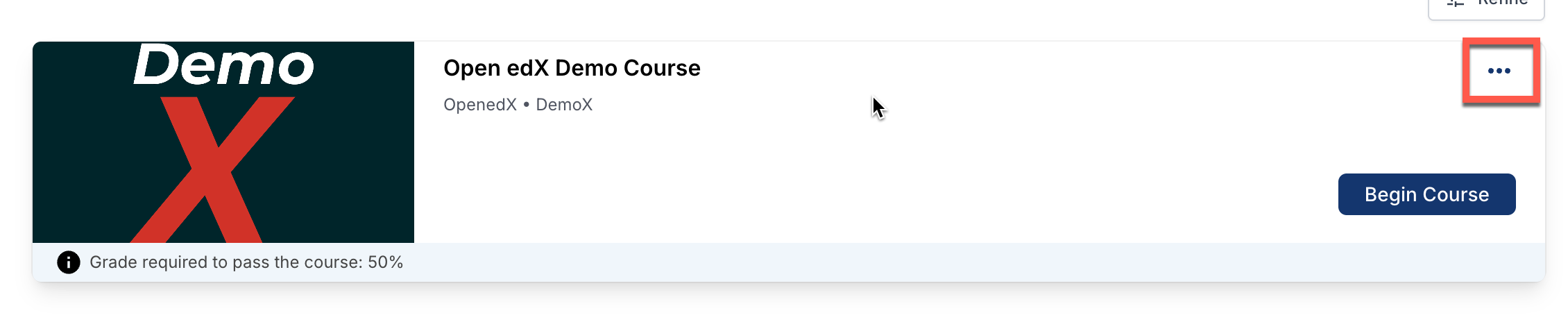
From the dashboard, you can modify the course-specific settings that are available to you by clicking the three dot icon and selecting the option you want to change.
Change a Course Email Preference#
To subscribe or unsubscribe to emails from a course, follow these steps.
On your dashboard, click the three dot icon and select the Email Settings option.
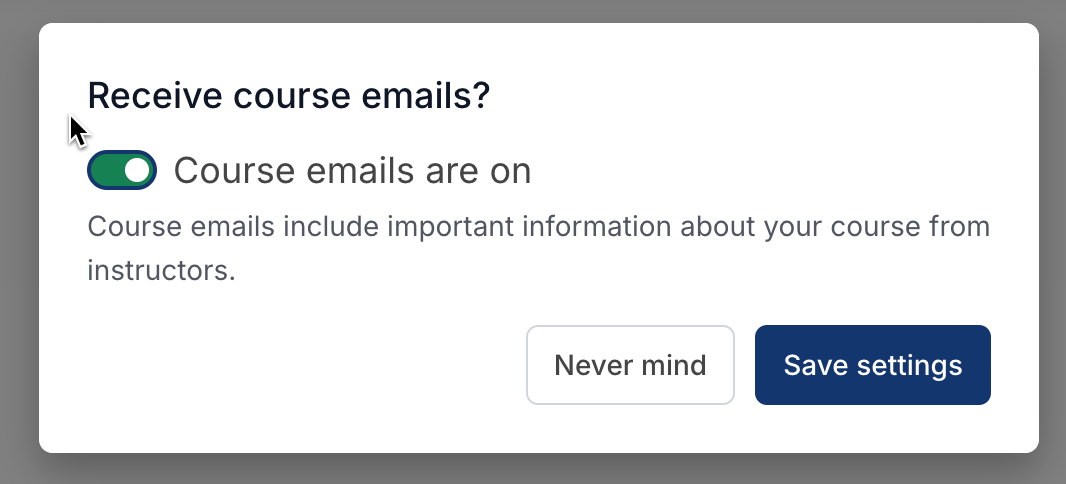
Toggle the Course emails are on slider, and then select Save Settings.
Note
If you turn off the slider, you will not receive any of the email messages that course teams send to communicate with enrolled learners in the course.
See also
About the Course Dashboard (concept)
Share Your Courses on Social Media (how-to)
About the User Profile Page (concept)
Update Your Profile Image (how-to)
Update Your Profile Details (how-to)
Toggle Profile Information Visibility (how-to)
Add Links to Your Personal Social Media Accounts (how-to)
View Another Learner’s Profile (how-to)
Maintenance chart
Review Date |
Working Group Reviewer |
Release |
Test situation |
2026-02-08 |
John Swope(curricu.me) |
Ulmo |
Pass |